In this article
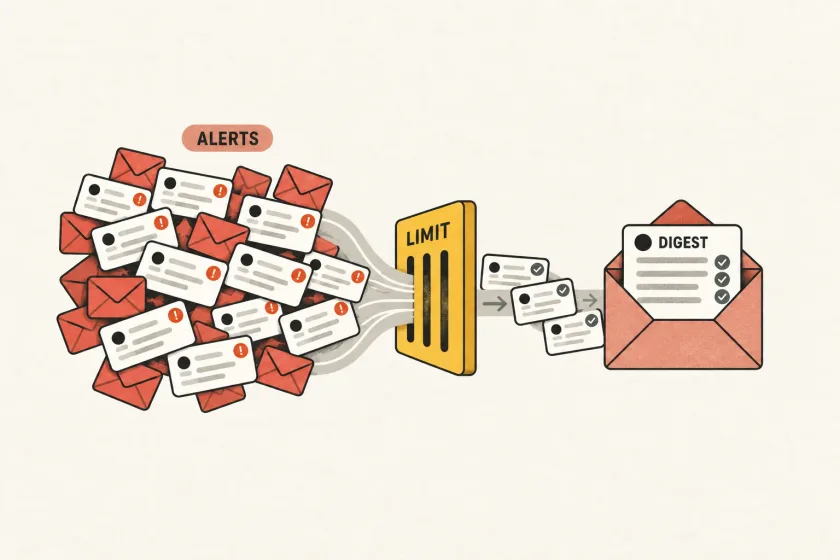
Prevent email notification storms by combining three controls: deduplication for repeated events, cooldowns for repeated updates, and rate limits for total sending volume. Apply these controls before messages reach your email provider.
Suppose a nightly import fails on every row and your application emails the account owner for each failure. The first message explains a problem. The next thousand make it harder to find the explanation.
Mailgun’s May 2026 article on test traffic and alert emails points out that noisy internal notifications can also become a sending problem. The engineering response is to give notifications their own admission policy before they reach an email provider.
Define the notification before defining the limit
Start with the event a person needs to understand. For an import failure, that might be “this import needs attention,” not “this row failed.”
Give that notification a stable business key:
workspace_id + import_id + notification_type + recipient_idThis key is an application design example, not a provider parameter. Reprocessing the same import failure should resolve to the same notification intent. A genuinely new import gets a new key.
Use a stable internal user ID instead of the email address for the recipient component. An address change should not make the same notification appear to be a new intent.
Avoid building the key from timestamps or a randomly generated send identifier. Those values change on every retry, defeating deduplication. Also avoid using only the recipient: doing so could merge an import failure with an unrelated security notification.
If the system supports several workspaces, include the workspace boundary. A global recipient key can accidentally suppress a legitimate message from another account.
Separate event recording from notification admission
Keep all relevant import failures in your operational store even when most will not generate email. The email should point to a useful report, not serve as the only record of what failed.
Maintain a small notification state record with fields such as:
| Field | Purpose |
|---|---|
| Business key | Identifies the notification intent |
| First and latest event time | Shows the duration of the problem |
| Event count | Supports a concise summary |
| Last notification time | Enforces the cooldown |
| Next eligible time | Makes deferred work visible |
| Expiry time | Prevents sending stale information |
| Status and reason | Explains why a message was admitted or held |
This structure lets support answer “why did I receive this?” and “why did I receive nothing?” using the same record.
For operational incident alerts, an existing monitoring tool may already provide the right primitives. Prometheus Alertmanager supports grouping, deduplication, routing, and inhibition. Product notifications still need application-specific decisions about audience, meaning, and expiry.
Apply budgets at several scopes
A per-recipient limit protects one inbox. A per-workspace limit stops a single customer from consuming the whole service. A global limit limits the consequence of a widespread defect.
For a hypothetical import product, you might start with one immediate failure summary, a 30-minute update cooldown, and one completion summary. These are example product choices, not universal sending recommendations. A critical account event deserves a different policy from an import progress update.
Implement budget reservations atomically in shared storage. If workers first read a counter and then independently increment it, concurrent work can exceed the limit. If the budget store fails, decide explicitly whether the notification class should wait, fail closed, or use a separately controlled emergency path.
Reserve capacity for time-sensitive messages. A promotional burst should not consume the application’s entire notification allowance and strand a requested verification email.
Use cooldowns without hiding material changes
A cooldown means “do not repeat this update yet.” It should not mean “ignore everything until the timer expires.”
Continue updating counts and the latest state during the cooldown. At the next eligible time, compose from the current record. If the import recovered, the next message should say that it recovered, not repeat the original failure.
Define which state transitions can bypass the cooldown. A change from warning to action-required may justify immediate notification. A change in the number of failed rows usually does not. Make bypasses explicit and bounded so they cannot become another unlimited path.
Treat recovery messages as their own policy. Sending “resolved” is useful when the recipient received the original incident message. Sending it to someone whose initial message was suppressed often creates confusion.
Make admission durable
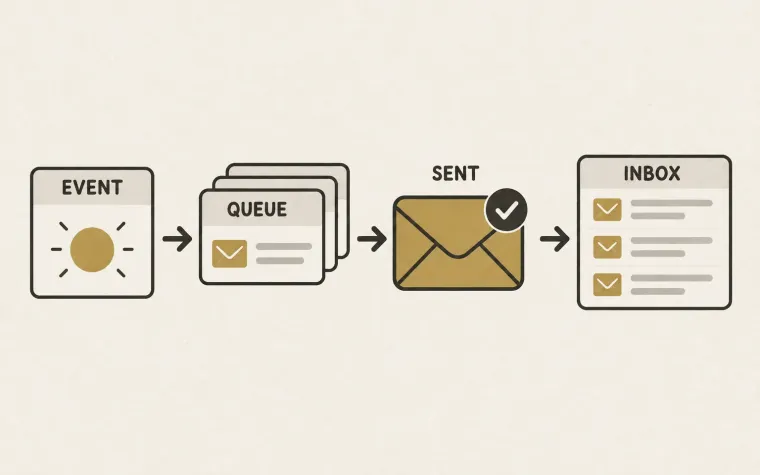
There is a failure window between deciding to notify and placing work on a queue. If the application updates its state but crashes before enqueueing, a notification can disappear. If it enqueues first and the state update fails, work can repeat.
A transactional outbox can store the notification intent alongside the business update in one database transaction. It does not remove the need for deduplication downstream; AWS’s outbox guidance explicitly discusses duplicate message handling.
Store a unique intent, let a worker submit it, and retain the submission outcome. After an ambiguous network timeout, reconcile using the available provider evidence and documented idempotency support. A database uniqueness constraint alone cannot guarantee that an external inbox receives exactly one message.
Drain a backlog according to usefulness
When service recovers, do not automatically release every held message. Some notifications have expired. Some describe states that no longer exist. Others can be combined into one current summary.
For each queued intent, recheck recipient eligibility, expiry, and current business state before submission. Record “expired” or “superseded” as an intentional outcome. Otherwise, your monitoring will confuse healthy suppression with lost work.
Test the policy with a controlled burst, concurrent workers, a budget-store outage, and a recovery that happens before the cooldown ends. Use the safe email testing workflow so those tests do not generate a real inbox flood.
Finally, measure admitted, delayed, merged, expired, and failed notifications alongside user outcomes. The objective is a recipient who understands what happened and can act—not a queue that successfully turns every event into email.