In this article
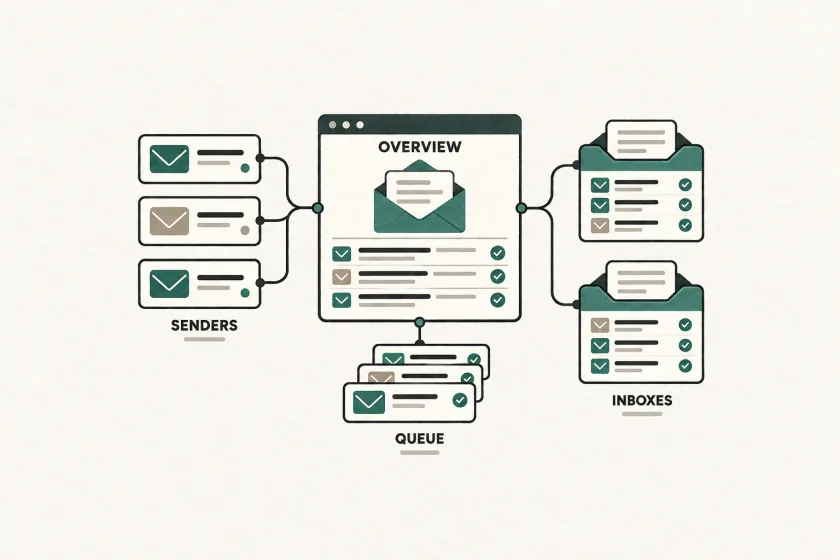
An email infrastructure inventory maps each sending stream to its application, environment, sender domain, credential reference, queue, event consumer, and owner. It should answer a common incident question quickly: which application is using this sending domain?
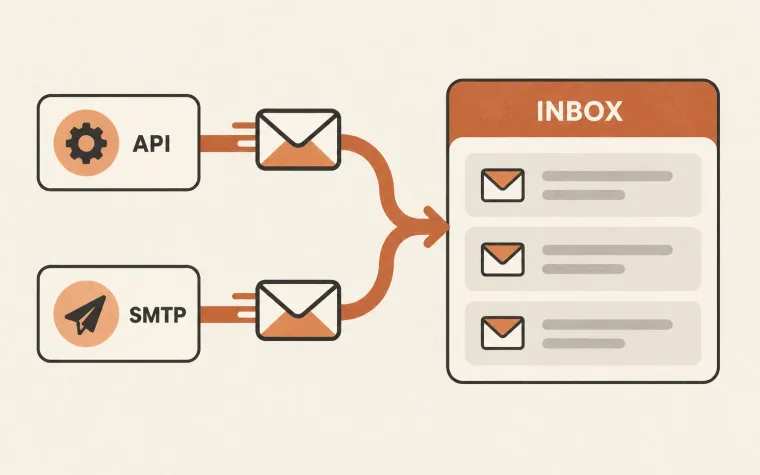
The main product may use an API, an older billing system may use SMTP, and a forgotten script may still have valid credentials. A domain list alone does not describe those relationships. Build an inventory that connects the message a customer sees to the systems and people responsible for it.
Mailgun’s July 2026 dedicated IP management update emphasizes the value of seeing domains, assignments, and delivery metrics together. The broader operational lesson applies even to a small team without dedicated IPs: make the connections discoverable before you need them under pressure.
Inventory sending streams, not just provider accounts
Start with a stream: a class of messages produced by one application workflow for a defined purpose. Account verification, invoice receipts, and weekly summaries are useful examples.
The same provider account can carry several streams. The same application can send through several credentials. If your inventory has only one row per provider, it will conceal the relationships that matter during an incident.
For each stream, record:
| Detail | Question it answers |
|---|---|
| Application and environment | Which deployed workload creates the mail? |
| Business purpose | What user task depends on it? |
| Integration method | Where does API or SMTP submission happen? |
| Sender and return-path domains | Which identities should an investigator inspect? |
| Credential reference | Which stored credential does the workload use? |
| Queue and event consumer | Where can work or reporting become delayed? |
| Owner and runbook | Who can investigate and change the system? |
| Last verified time | How fresh is this record? |
Add outbound IP or pool details when they are relevant and known. Record whether your team controls those assignments or must ask the provider. “Provider managed” is more useful than a guessed address.
Store references to secrets
An inventory should point to a credential in your approved secret store. It should not contain the credential itself.
OWASP’s secrets-management guidance recommends metadata covering a secret’s consumers, purpose, lifecycle, and responsible contacts. For email, that means you should be able to identify which workloads require an update before rotating a credential.
The following YAML is an illustrative inventory record, not provider configuration:
stream: invoice-receipts
environment: production
application: billing-worker
transport: smtp
sender_domain: receipts.example.com
credential_reference: secret-store/billing/email
queue: billing-notifications
event_consumer: delivery-events-worker
owner: billing-engineering
runbook_reference: operations/invoice-email
last_verified: 2026-09-30
Keep the references access-controlled where they reveal sensitive architecture. A team that needs the stream owner does not necessarily need administrative access to the sending account.
Discover the real senders
Ask each team what it sends, then compare those answers with available configuration and traffic evidence. Neither source is complete by itself.
Look for mail libraries, SMTP configuration, background jobs, scheduled exports, form handlers, and provider integrations in deployment manifests and repositories. Search for filenames or configuration keys first; avoid dumping secret values into terminal output or shared notes.
Then compare observed sending with the proposed inventory. Sample a recent message from each active stream and trace it through the application job, submission record, and delivery-event consumer. Record where the chain breaks.
Include low-frequency workflows such as annual renewals and administrator invitations. A quiet credential is not automatically unused. Ask the owner about the intended schedule before disabling it.
Keep staging and production separate. A staging system that can send through production credentials deserves a recorded corrective action and the controls described in our email testing guide.
Record both intended and observed configuration
A configuration file states what should happen. A message sample and a current provider record help establish what actually happened.
Store those observations with a timestamp and a reference to the evidence. If a stream is expected to use one sender domain but a sampled message uses another, leave the discrepancy visible until its owner resolves it.
Inbox logo projects should use the same sender inventory so brand assets are tied to the domains customers actually see.
Use a simple status such as verified, incomplete, or disputed. An empty field should mean unknown, not “none.” In particular, absence of a recorded event consumer does not prove the application has no delivery events; it may mean the investigation stopped too early.
Avoid overstating isolation. Separate stream names or subdomains improve organization, but the inventory should describe the actual infrastructure and shared dependencies. It should not promise independent reputation simply because two rows have different labels.
Make reverse lookups possible
An incident rarely arrives in the same order as your spreadsheet. Support may provide a message identifier. Security may provide a credential name. A blocklist alert may provide a domain or IP.
Make each of those entry points lead to affected streams and owners. You can start with a searchable table and linked runbooks; a new internal service is unnecessary unless scale justifies it.
Try three short exercises:
- Given a sending domain, find every workload using it and the person authorized to pause each one.
- Given a credential reference, identify consumers, rotation steps, and a safe verification method.
- Given a missing receipt, locate the queue, submission evidence, and event-processing owner.
If an exercise requires messaging several people for undocumented context, record the missing relationship. The blocklist recovery plan is a useful scenario for a rehearsal.
Make updates part of normal changes
Assign an owner for the inventory itself. Add a small update requirement when a team introduces a stream, changes a credential, moves an event consumer, or retires an application.
Periodically compare active records against recent traffic and deployed configuration. Treat “not observed” as a reason to investigate, especially for infrequent messages. Retiring a sender should include reviewing queued work and dependent workflows before credentials or domains are removed.
Connect each stream to a dashboard with clearly defined email outcome metrics. The resulting map should help someone move from a symptom to a responsible system and a concrete next step. That is the standard by which to judge whether the inventory is useful.