
In this article
To show your brand logo in supported inboxes, use Apple Branded Mail or BIMI according to your audience’s mailbox providers. Both connect authenticated sending identities with approved brand information. Uploading a logo to your email template alone does not configure the logo shown beside the sender.
Start by deciding where you need the logo to appear and which domains represent your brand. Then choose the appropriate implementation and test it with real messages. Avoid making a delivery or conversion promise part of the project: those outcomes need separate evidence.
Resend’s August guide, How to Show Your Logo in Apple Mail, is a useful prompt to review the options. The implementation details below come from the services and standards involved, because their eligibility rules are not identical.
Map the brand to the actual sender
Create an inventory of the From addresses customers see. Include receipts, account notices, support replies, and announcements. Decide which brand each belongs to before configuring anything.
For a fictional retailer, that inventory could look like this:
| Sending identity | Customer-facing brand | Test message |
|---|---|---|
| orders@example.com | Main shop | Order confirmation |
| help@example.com | Main shop | Support reply |
| updates@club.example.com | Membership club | Member announcement |
This catches a common coordination problem: marketing approves one logo while engineering configures a different subdomain. It also gives the testing team a concrete list of messages rather than a vague request to “check the inbox.”
Record who owns the brand artwork, domain configuration, and service account. Those may be three different teams. The project should remain maintainable when one person changes roles.
Understand the two implementation paths
Apple Branded Mail associates approved brand information with eligible email identities through Apple’s business service. Apple’s current introduction requires organization and brand verification, a commercial sending domain, and DKIM-authenticated messages. SPF authentication alone is insufficient. Its documentation also describes device, language, and iCloud Mail availability limits.
BIMI publishes information that participating mailbox providers can use to display a brand logo. The BIMI Group implementation guide calls for authentication and DMARC enforcement, an SVG Tiny PS logo, and a DNS record. Providers determine their own display criteria; publishing the record does not compel every inbox to display it.
| Decision | Apple Branded Mail | BIMI |
|---|---|---|
| Where configuration starts | Apple’s business service | Authentication, logo hosting, and DNS |
| Main planning question | Does the audience use supported Apple surfaces? | Which target mailbox providers support the intended certificate and logo setup? |
| Operational owner | Brand administrator plus DNS owner | DNS, asset hosting, and certificate owners |
The paths can be complementary. Choose based on the audience and the effort your team can sustain, rather than assuming one logo configuration covers every client.
Finish authentication before tightening policy for a logo
Do not rush a domain to enforcement just to satisfy a branding prerequisite. First confirm that receipts, support messages, and other legitimate streams authenticate correctly. Use the DMARC rollout checklist to identify the systems that would be affected.
Apple’s current email-domain verification instructions specify quarantine or reject through the applicable policy and a pct value of 100. This is a compatibility detail worth recording: the newer DMARC standard removes pct, while some service documentation and validation rules still refer to it.
Check the current onboarding requirements at the time you configure the service. If a checker and your intended record disagree, resolve that discrepancy before changing production policy. Preserve the previous DNS values and identify who can restore them if legitimate mail is affected.
Prepare assets for the selected route
Start from approved artwork with a named owner. Review how it looks as a small square mark, especially when the company name is long. A full horizontal website logo may become illegible when reduced to an inbox avatar.
For BIMI, follow the required SVG profile rather than assuming any exported SVG is suitable. The BIMI Group describes VMCs and CMCs as certificate options and notes limited support for self-asserted records. A VMC and a CMC have different eligibility considerations, so confirm the requirements of the target mailbox providers before purchasing a certificate. See the implementation guide.
For Apple Branded Mail, submit the brand and domain information through the current Apple workflow. Give reviewers internally enough context to approve the exact mark and sending identities. Keep a record of approval status instead of treating a successful upload as completion.
Test the message path, not just DNS
Build a test matrix around the sending identities and mailbox combinations that matter to your audience. Keep these dimensions explicit:
- The From address and sending service used.
- The receiving mailbox provider and the client used to view it.
- The device, operating system, and relevant account settings.
- The authentication results and whether the expected logo appears.
The distinction between mailbox provider and client matters. Apple’s BIMI guidance explains responsibilities for receiving providers that supply BIMI information to Apple Mail. Testing one account in one client does not establish behavior for another account viewed in the same app.
When a logo is missing, inspect the entire chain: sender identity, authentication, published record or approval state, asset accessibility, and receiving-provider support. Change one variable at a time. Keep screenshots with test dates so a later regression has a useful comparison.
Give the setup a maintenance owner
Add logo checks to your email-provider migration checklist. Revisit the inventory when introducing a sub-brand, changing domains, or rotating relevant certificates. Make renewal ownership visible so the artwork does not outlive the infrastructure needed to display it.
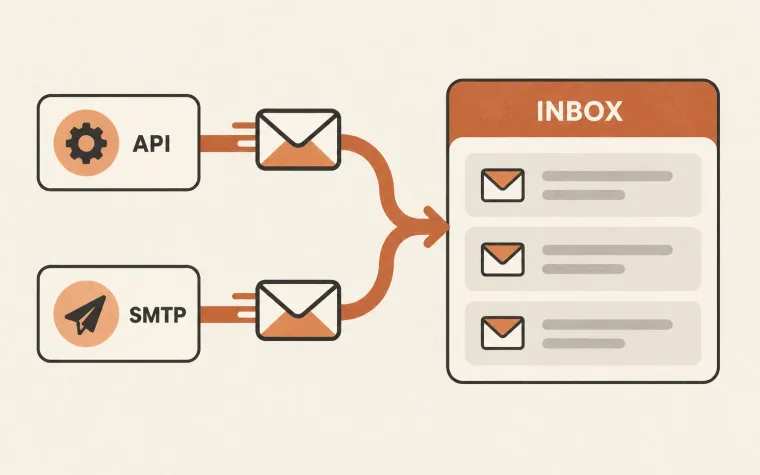
Keep the message usable when the logo is absent. A clear sender name and accessible email content remain essential. SendMero handles application delivery through API and SMTP; see the documentation when connecting the sending path, then verify branding independently in your target inboxes.