In this article
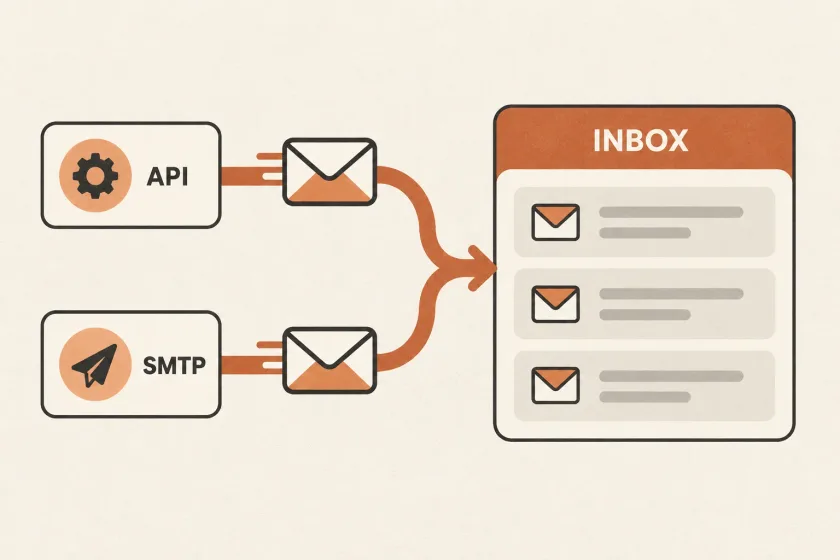
An email API submits messages through a provider’s HTTP interface; SMTP uses a standard mail protocol. An API can fit an application already built around HTTP services, while SMTP can fit an existing mailer. Choose by integration effort, error handling, and the information your team needs when a receipt does not arrive.
Start with the application you already operate, the information you need after sending, and the work required to recover from a failure. A protocol preference should follow those requirements.
SendGrid’s recent email API overview places API and SMTP integration alongside provider selection. For a development team, it helps to evaluate two separate decisions: how the application submits mail, and which service handles delivery.
Start with your existing sending boundary
Find the code that decides a message should exist. It might be a billing worker, a framework notification class, a plugin, or several unrelated services. Then find the code that actually hands the message to a provider.
If an established framework already builds and submits messages through SMTP, changing relay configuration may require less application work than introducing an HTTP integration. You still need to test authentication, TLS, network access, and error handling.
If you are building a new service whose integrations already use HTTP, an email API may fit your deployment, request tracing, and credential management more naturally. Its request schema and error responses will be specific to the provider.
Neither choice removes the need for an internal message model. Keep business decisions such as “send invoice confirmation” outside the transport adapter so a later change does not spread through billing code.
Compare the work, not the labels
Use a small matrix before implementing either option:
| Question | What to inspect for an API | What to inspect for SMTP |
|---|---|---|
| Does our application already support it? | HTTP client or supported integration | Framework mailer or SMTP library |
| Can our environment connect? | HTTPS access, proxy rules, timeouts | Relay host, port, TLS, outbound network rules |
| What does a failure tell us? | Response body, status, request identifier | SMTP reply, command stage, library error |
| How do we carry metadata? | Documented provider fields | Supported headers or documented extensions |
| What changes during migration? | Request mapping and provider features | Relay configuration plus any provider extensions |
Treat each answer as something to prove in your environment. An integration that is elegant on a laptop may be awkward behind production network controls. A familiar library may hide the response detail your support team needs.
Define what a successful submission means
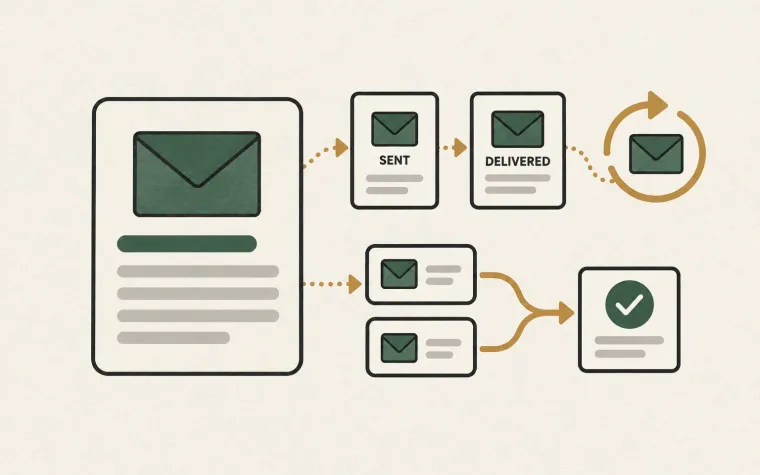
An accepted request is a handoff, not evidence that someone read the message. SMTP itself distinguishes temporary and permanent negative replies, and a server accepting a message assumes responsibility for further processing. Those protocol semantics are described in RFC 5321.
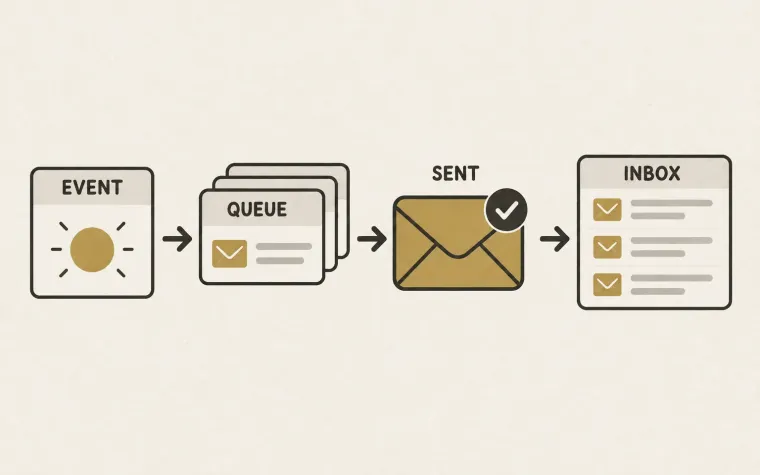
Your application should therefore record the submission result separately from later delivery events. A practical internal record contains a business reference, your message identifier, transport, provider identifier when available, attempt time, and outcome.
Make room for an unknown outcome. Suppose the provider accepts a receipt, but the connection closes before your worker receives the response. A timeout does not prove the provider rejected the message. Immediately retrying through another transport can produce two receipts.
Decide how you will investigate that ambiguity before launching. Check whether your chosen provider offers documented idempotency or message lookup, what identifiers survive a timeout, and what support can inspect. Do not assume that a library retry option solves duplicate sending.
An example: a billing service and an older admin application
Imagine a fictional subscription product with two applications. Its billing service already uses HTTP clients and background jobs. Its internal admin application sends account invitations through a mature framework mailer.
The billing team could choose an API adapter because structured request handling fits its existing worker. The admin application could retain SMTP because replacing its mailer adds little value. Both can still share a business-level message ledger.
The following is provider-independent pseudocode for that boundary, not a SendMero SDK:
message = create_message_intent(
    kind = "invoice_receipt",
    business_reference = invoice.id,
    recipient = invoice.billing_contact
)

adapter = configured_transport(message.kind)
result = adapter.submit(message)
record_submission(message.id, result)
The adapter is responsible for transport-specific behavior. The application remains responsible for deciding whether the receipt should be sent, recording the attempt, and interpreting uncertainty. The same separation makes a future provider change easier to review.
Run a pilot that includes failures
Sending one successful message establishes connectivity. It does not establish operational readiness. Test the behavior you expect people to troubleshoot:
- Submit a normal message to an address your team controls and record every identifier returned.
- Use an intentionally invalid credential in a test environment and confirm the failure is understandable.
- Simulate a timeout after submission and examine whether your worker schedules an unsafe duplicate.
- Submit malformed input and confirm it is handled differently from a temporary service failure.
- Follow a delivery event back to the original application action.
Write down which component retries each failure. Application workers, libraries, proxies, and providers can each have retry behavior. Uncoordinated retries make even a small incident difficult to explain. Our guide to reliable email webhooks covers the receiving side of that event trail.
Include maintenance in the decision
Compare the cost of ownership alongside your sending budget. Estimate the effort to rotate credentials, update integrations, answer delivery questions, and move providers. Avoid assuming SMTP means complete portability: provider-specific headers and templates can still create dependencies. Likewise, an API adapter can remain small if you deliberately limit what application code knows about the provider.
Choose the option your team can operate with clear responsibilities and evidence. Document the reason, keep the transport boundary narrow, and revisit it when requirements change. To evaluate SendMero for your application, use the integration documentation to check the current API and SMTP setup against your pilot checklist.