In this article
APRF, commonly expanded as Aggregate Performance Reporting Format, is a proposal for sharing aggregate performance information with senders. It has attracted attention because it addresses a gap between transmission logs and mailbox experience. The most important word for anyone considering an implementation is proposed.
An email provider can tell you that a receiving server accepted a message. That still leaves a useful question unanswered: what happened inside the mailbox provider afterward?
Start with the current status
As of September 30, 2026, the relevant document is draft-brotman-aggregate-performance-reporting-01, published September 8. The IETF Datatracker identifies it as an active individual Internet-Draft and explicitly states that it is not endorsed by the IETF.
That makes it work in progress, not an established interoperability promise. A draft can help you understand a direction of travel without proving that any particular mailbox provider sends reports or that your sending service consumes them.
When evaluating a vendor announcement, ask three separate questions: which document version it implements, which report generators it supports, and what a customer can use today. Answers to one question should not stand in for the other two.
What the proposal is trying to add
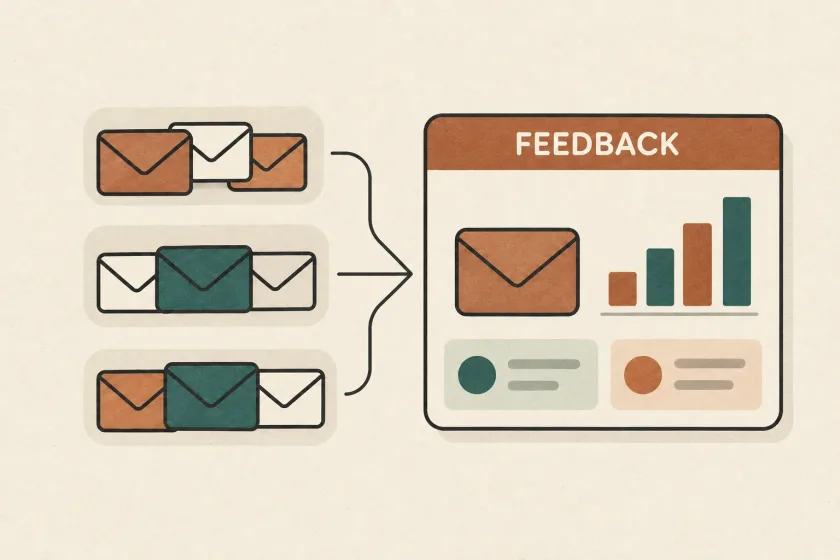
Twilio’s August APRF overview describes a mechanism for mailbox providers to share aggregate classification and engagement feedback. The concept uses DNS to advertise where reports should go, with reporting associated with the DKIM signing domain. Potential signals include inbox versus unwanted classification and categories of recipient interaction.
Think of this as another input to an investigation. Your application knows why a message was generated. Your sending service records the handoff. A mailbox-generated report could add a different perspective on a group of messages.
For the underlying distinction between a successful handoff and a person’s mailbox experience, see our guide to delivered messages that users cannot find.
Read the measurement rules before the numbers
The September draft describes JSON reports covering a UTC day and delivery of reports as email attachments. It also says that engagement categories can have different meanings across report generators. Engagement actions in a reporting period can concern messages received earlier, and generators are not obliged to report to every requested destination.
Those details should influence the questions you ask of a report. Which system produced it? Which period does it cover? What traffic is represented? What is the documented meaning of each measure? Avoid turning a broad category into a more precise metric merely because the dashboard needs a short label.
Keep classification and engagement views separate unless the source explicitly supports the relationship you intend to calculate. A tidy percentage can still answer the wrong question.
A fictional report review
Imagine your team evaluates a future reporting integration. It shows a rise in unwanted classification for one newsletter segment on Tuesday. Your application records show that Tuesday’s campaign used a new audience-selection rule.
That is a useful lead. It is not yet proof that the new rule caused the change. The comparison might also involve different message volume, a different sender identity, or incomplete reporting coverage.
Prepare a small review table before changing the campaign:
| Question | Evidence to collect | Decision it supports |
|---|---|---|
| Is the comparison like for like? | Reporting source, period, segment definition | Whether a trend is meaningful |
| Did sending behavior change? | Audience rule, volume, template, sender identity | Which hypothesis to investigate |
| Are operational signals consistent? | Delivery events and customer reports | Whether to pause or gather more evidence |
| Can we isolate a next step? | One controlled change and a review date | Whether the intervention helped |
Suppose the audience rule included people who had not received your newsletter for a long time. You might pause that newly included group and review how it was selected. That action is grounded in your own sending decision, rather than treating the report as a universal reputation score.
Record the reasoning. If the next report improves, you have an evidence trail for the experiment. If it does not, the team can test another explanation without rewriting the incident history.
Prepare your data model without betting on a draft
You can make your existing reporting easier to extend today. Give message categories stable names. Record which sender identity and route each job uses. Retain the timing and version of major audience or template changes. These improvements are useful even if APRF adoption develops slowly.
For any experimental report importer, keep the external document separate from the normalized dashboard model. Store the source, received time, reported period, parser version, and validation outcome. When parsing changes, you should be able to reprocess retained input under your data-retention policy without confusing old and new interpretations.
Treat attachments as untrusted input. Apply size limits, bounded decompression, schema checks, and a quarantine path for unsupported documents. Give malformed input an explicit state rather than silently dropping it or populating charts with partial values.
Make missing coverage visible. A dashboard should distinguish “no report received,” “report rejected,” and “reported value is zero.” Combining these states can make an integration failure look like a successful campaign.
Choose a small adoption gate
Before adding production DNS records or a reporting dependency, confirm documented support with the parties involved. Choose a limited experiment with an owner, expected output, and a rollback plan. Recheck the current draft instead of copying an older example from an overview article.
Keep established operational monitoring in place during that experiment. A new aggregate report should not replace message-level troubleshooting, recipient preference handling, or separate monitoring for urgent and marketing streams.
APRF is worth understanding because better feedback could help senders make better decisions. Its immediate value to your team depends on verified support, clear measurement semantics, and an investigation process that can use the data. Check the SendMero documentation for currently documented capabilities; this article does not announce APRF support.